PS3
Protect all campaign restrictions on Normal, leaving most counters for Hard or mission replays. The death limit is the most fragile one; keep a clean backup before risking a jump or a firefight.
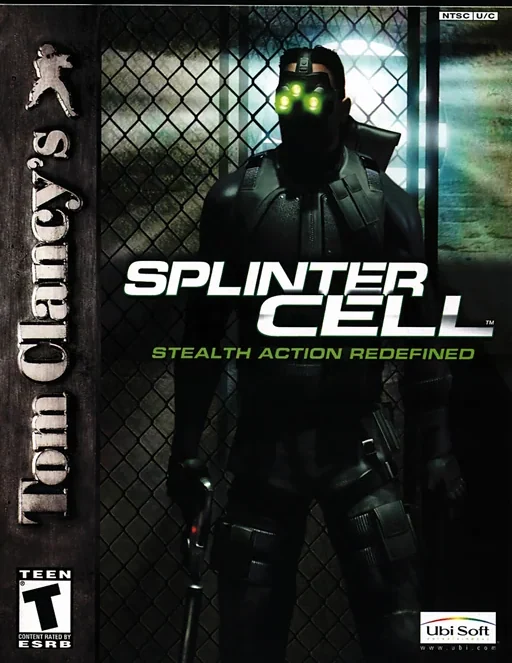
The first Splinter Cell from the PS3 Classic Trilogy HD. Its 37 trophies only concern the campaign, including the standalone release.
- Difficulty: Normal and Hard do not stack
- Fatality limit: At most 3 per level for Passive Aggression
- Online mode: No online trophies
Normal: set the campaign restrictions
Start on Normal. Use grabs and nonlethal takedowns, hide bodies away from patrol routes and leave medkits alone. Count fatalities separately for each level, especially when a story objective requires a kill. If a room gets out of hand, stop and return to the last clean save before moving on.
- Aim for Immune, Passive Aggression and Stealth Operative on the same run.
Distinguish a sighting from an alarm
The music can change when a guard sees you, but that alone is not an alarm. Watch for the message that increments the alarm counter and reload an earlier manual save if it appears. Before crossing a lit area, study the patrol and check that no body can be discovered on its return route.
- End each mission without an increase in its alarm counter.
Protect Urban Legend with clean backups
Reloading after defeat does not necessarily erase a recorded death. If you are about to fall or are trapped in the open, pause and load from the menu before Sam dies. Keep an external copy of a clean save if your console allows you to copy it.
- Keep a verified backup before the missions with heavier combat.
Clear Hard and prepare mission-specific trophies
After the first run, start a fresh game on Hard. At Kalinatek, you can dedicate the mission to Quick-draw by sticking to the Five-seveN pistol. For Peace Stalker, return to the police station and get through without firing; wait for patrols or neutralize guards at close range.
- If a mission objective complicates the Hard run, replay it after finishing.
Clean up counters at CIA Headquarters
CIA Headquarters is a useful stretch for terminals and locks. Interact with usable screens and watch for the notification: not every terminal yields a data stick. Pick regular locks and keep capture or distraction attempts separate from the alarm-free run, so you can concentrate on one counter at a time.
- Check Cyber Warfare and Data hacker separately before moving to another level.
Trophies to watch
Stealth Operative
Complete all missions without raising alarm even once.
Reload an earlier file if the game registers an alarm.
Passive Aggression
Complete the game without having more than 3 fatal casualties per level.
Use knockouts and reset your own tally when a level starts.
Urban Legend
Complete the game without dying more than 5 times.
Do not rely on quick-load after a death is recorded.
Cyber Warfare
Collect data stick from 47 computer terminals.
Search the CIA offices and watch for data stick notifications.
Frequently asked questions
Is one Hard clear enough?
No. You need both Normal and Hard clears. Alarms, medkits and the death limit are easier on the first.
Does being spotted immediately void the trophy?
Check the alarm counter. A sighting is not always a registered alarm, but a guard reaching the panel can raise one.
Do cleanup counters require a new game?
For mission actions and many counters you can replay levels after the story. Keep your saves with those missions unlocked.
Sources
- PlayStation Store europeo: uscita digitale dei tre capitoli HD
- PlayStationTrophies: roadmap e obiettivi
- Urban Legend: limite morti e salvataggi
Trophy lists
Buying the game
These are Guerranera’s affiliate links. As an Amazon Associate I earn from qualifying purchases.